SwiftUI is a Disaster
Apple had the perfect opportunity to implement declarative, reactive programming into their system frameworks, and totally blew it.

I’ll admit it. I’m still programming for Apple platforms using Objective-C, AppKit and UIKit.
I have several reasons for this, and I could go on and on listing them out, but the most important reason is because Swift and SwiftUI lack a coherent vision/statement. Swift itself is a language that appears to state that C++ was actually the right approach and mental model for programming all along: strongly typed and strict compile time checking.
This is in direct opposition to Objective-C, which wasn’t actually a “real” language as we think about it, rather a dynamic runtime that lived on top of the C language and doesn’t do any of that and parades that fact as a strength.
To make Swift look “cool,” (which being based on C++ certainly doesn’t), Apple appears to have simply borrowed a hodgepodge of trendy ideas from other languages, like Python, Ruby and Javascript and grafted them in. This was my chief complaint when I saw Swift in 2014, and it’s still true to this day.
It’s difficult to decipher what Swift is actually trying to say. There’s obvious statements, about how a strong type system and compile-time checking are important, but when you throw in unrelated trendiness, it undermines that very serious and stern message.
Of course, I’ve tried Swift (I even tried to hold my nose and learn to love it). I’ve also tried SwiftUI.
I get the concepts in both, and yet I still HATE them. Objective-C, AppKit and UIKit are old, very old, and they’re entirely stuck in a bare minimum maintenance mode, so I struggle with having any appreciation for them. Working with modern C# especially highlights how decrepit Apple’s legacy platform technologies have gotten.
I like to complain about these things, and I usually complain about these things in the comments section on Michael Tsai’s blog. The MJTASI blog is a really great, comprehensive, curated daily rollup of Apple developer news, and it attracts a generally very smart crowd.
Some commenters love Swift. Some tolerate it. And there’s those of us who hate it.
SwiftUI was poorly designed
I was doing my usual thing yesterday, dunking on Swift in poor Michael’s comments section, when I had an idea:
What if I copy-pasted my bitching into ChatGPT and asked it a few questions, in particularly, what if SwiftUI was adapted into a design that followed something along the lines of what I viewed as a more successful execution of the declarative, reactive api: VueJS.
ChatGPT so effortlessly and beautifully executed merging SwiftUI into a VueJS-like API that I haven’t been able to stop thinking about what I saw.
Good software is like pornography: very difficult to describe, but you know it when you see it. Good software is art: you can see the ‘soul’ of a programmer or programmers. Good software is fun: it should bring a smile to your face when you use it. Good software causes an erection in the mind of a software evangelist.
-Guy Kawasaki, former Apple evangelist
Let me start by first giving you a sample of generic SwiftUI code. Nothing too complicated - we’re rendering a list of names, and providing a textfield for users to enter a new name.
import SwiftUI


struct ContentView: View {
    @State private var names: [String] = ["Elisha", "Andre", "Jasmine", "Po-Chun"]
    @State private var nameToAdd = ""


    var body: some View {
        VStack {
            List {
                ForEach(names, id: \.description) { name in
                    Text(name)
                }
            }


            TextField("Add Name", text: $nameToAdd)
                .onSubmit {
                    names.append(nameToAdd)
                    nameToAdd = ""
                }
        }
        .padding()
    }
}


#Preview {
    ContentView()
}
You’ll notice the @State decorators up near the top of the component, but it doesn’t stop at just @State, you’ve got four other decorators, each that kind of do the same thing, but with slight behavior modifications.
@State var thing
@Binding var thing
@Environment var thing
@ObservedObject var thing
@StateObject var thing
It’s not really clear inherently what any of these do. Sure, you can look them up in the documentation, and you’ll probably get used to it over time, but is this system “good enough?”
ChatGPT agree (of course, it always does), but it did something magical - it synthesized SwiftUI and VueJS together, beautifully.
“A more Apple-native “Vue-like” design could have had:”
ViewComponent {
    Properties { ... }
    State { ... }
    Computed { ... }
    Events { ... }
    Layout { ... }
    Style { ... }
}
It then went on to synthesize a component constructed with this API:
component UserCard {
    props {
        user: User
        highlighted: Bool = false
    }

    state {
        isExpanded = false
    }

    template {
        VStack(spacing: 12) {
            Image(user.avatar)
                .clip(.circle)

            Text(user.name)
                .font(.headline)

            if isExpanded {
                Text(user.bio)
                    .font(.body)
            }

            Button("Toggle") {
                isExpanded.toggle()
            }
        }
        .padding(16)
        .background(highlighted ? Color.blue.opacity(0.1) : Color.clear)
        .cornerRadius(12)
    }
}
To my eyes, this is infinitely easier to understand. We’re mostly using the same components (VStack, Image, Text, Button) that actual SwiftUI is, but everything is organized, clear and intentional. We’ve also introduced the concept of conditionals into the template.
We are also no longer dependent on chaining a bunch of properties onto the object to describe, control and modify it. For example, styling can be extracted out and shared across the application, similar to how CSS works in web projects.
styles {
    Text.title {
        font: .headline
        color: .primary
        padding: 12
    }

    Card {
        background: .systemBackground
        radius: 12
        shadow: .small
    }
}
We can even extract out components and share them across platforms. ChatGPT had this to say:
The biggest philosophical improvement would be separating:
what the view is
from how it is styled
from how it reacts to state
from how it bridges to UIKit/AppKit
SwiftUI mushes those together beautifully for demos and painfully for production.
“A really good Apple declarative UI framework might have looked like:”
component SettingsScreen {
    model SettingsViewModel

    template {
        NavigationView {
            Form {
                Section("Account") {
                    Toggle("Enable Sync", bind: model.syncEnabled)
                    TextField("Display Name", bind: model.displayName)
                }

                Section("Danger Zone") {
                    Button("Delete Account", role: .destructive) {
                        emit(.deleteAccountRequested)
                    }
                }
            }
        }
    }

    platform {
        iOS {
            navigationStyle: .stack
        }

        macOS {
            formStyle: .grouped
            toolbar: SettingsToolbar()
        }
    }
}
It’s simply impossible for me to have seen this and then not think that the people who designed SwiftUI totally screwed up.
The Registry Pattern
One of the coolest things I’ve seen come out of Umbraco in the last few years is their implementation of what I’ll call “the registry pattern” across the backoffice.
Using a collection of declarative manifest files, developers can build on top of and extend the Umbraco Backoffice. The system is so flexible and adaptable, that every Umbraco-provided menu, section, workspace, modal, can be reused or modified.
This system is extremely powerful and easy to use after just a little bit of time spent understanding the architecture.
There’s absolutely no reason this pattern couldn’t be implemented in MacOS or iOS using the same components/widgets that are already in AppKit and UIKit.
Let’s look at a sample of a manifest from Umbraco’s documentation (I actually wrote this documentation article!)
We’ve got what’s is called a “header app” that shows a label, icon and links out to a website. There’s several other things you can do with header apps, but we’ll keep it simple.
{
  "$schema": "../../umbraco-package-schema.json",
  "name": "My Package",
  "version": "0.1.0",
  "extensions": [
    {
      "type": "headerApp",
      "alias": "My.HeaderApp",
      "name": "My Header App",
      "kind": "button",
      "meta": {
        "label": "Hello Umbraco",
        "icon": "icon-hearts",
        "href": "https://umbraco.com/"
      }
    }
  ]
}
There’s several other extension-types that come with Umbraco, and you thread everything together using aliases and declarative properties in a damn flat text file! It’s freaking awesome, and it’s so smart!
I look at AppKit and UIKit, and realize that Mac and iOS applications could be structured using this same approach, combining it with a better declarative reactive api, like one based off of VueJS, would catapult Apple so far into the future. Microsoft, Linux, no one would be able to catch up for years.
Imagine being able to declare a UITabVarController like:
const tabBarManifest: UIKitExtensionManifest = {
  type: "tabBar",
  alias: "My.TabBar",
  name: "My TabBar"
}

const homeTabBarItem: TabBarItem = {
    type: 'tabBarItem',
    alias: 'My.TabBar.Home',
    name: 'TabBar Home',
    element: './homeViewController.swift',
    meta: {
        label: 'Home',
        icon: 'icon-house',
        menus: ["My.TabBar"] // "My.TabBar" matches the alias property in the previous delcaration
    },
};

const settingsTabBarItem: UIKitTabBarItem = {
    type: 'tabBarItem',
    alias: 'My.TabBar.Settings',
    name: 'TabBar Settings',
    element: './settingsViewController.swift',
    meta: {
        label: 'Settings',
        icon: 'icon-gear',
        menus: ["My.TabBar"]
    },
};

sharedApplicationRegistry.register(tabBarManifest);
sharedApplicationRegistry.register(homeTabBarItem);
sharedApplicationRegistry.register(settingsTabBarItem);
It’s simply difficult to think about it any other way - Apple did an extremely poor job designing Swift and SwiftUI. Both are un-Apple-like, and it’s just because of a lack of consideration, and a lack of a tastemaker. I suspect Swift could be saved if it had a better SwiftUI to pair with.
Aside from the other haters on the MJTASI blog, I’m not the only one coming to these kinds of conclusions. Steve Troughton-Smith has relayed rumors that SwiftUI is under fire inside of Apple itself.
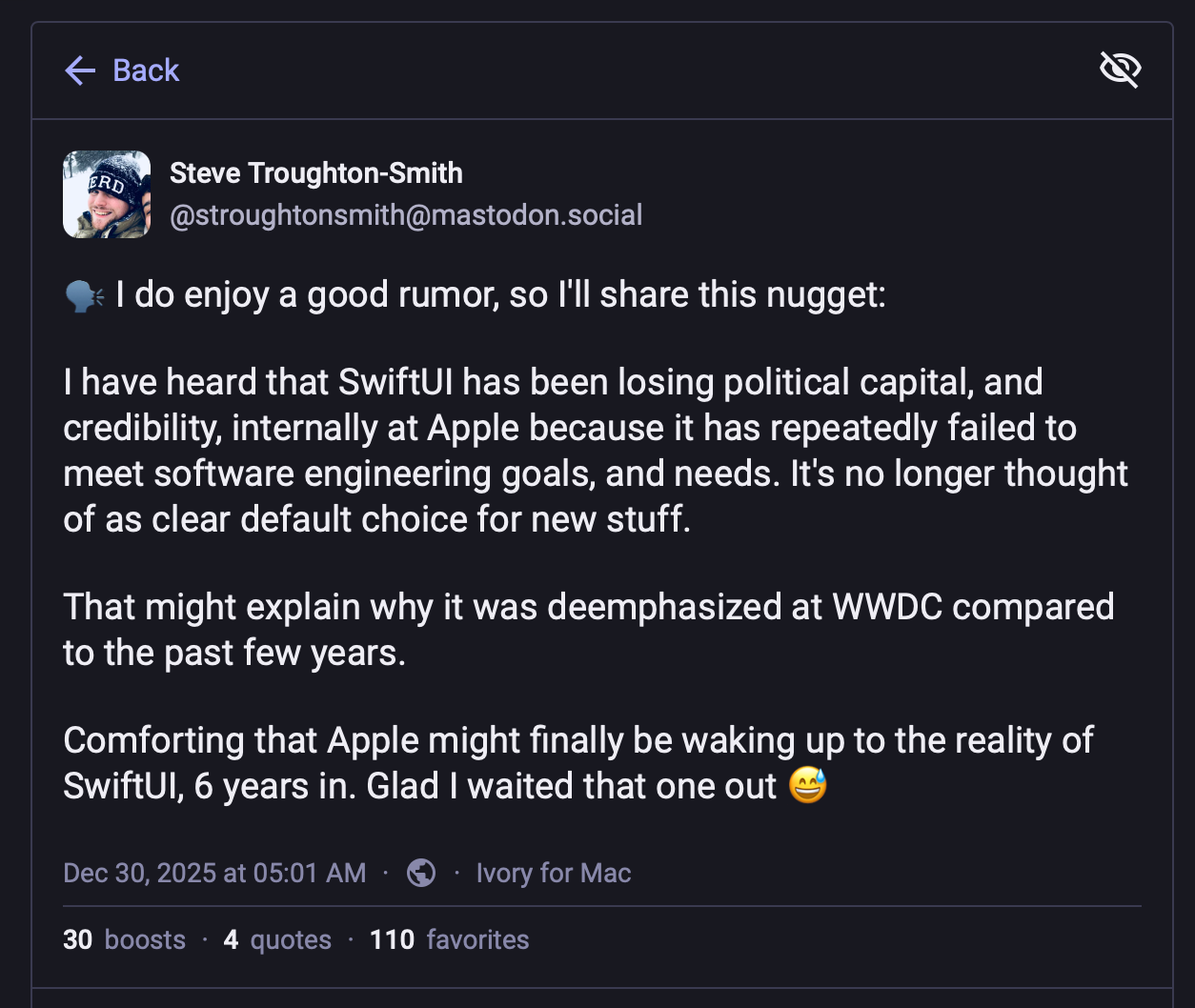
https://mastodon.social/@stroughtonsmith/115808174025220815
So what to do with all of this?
There’s not much I can do, except day dream. And, say, send an email to Tim Cook, John Ternus, and Craig Fedherigi (yes, I really did - YOLO!).
If you’re looking to build native Mac and iOS applications, I implore you to go check out my product, FastGooey. It’s a package for UmbracoCMS that allows you to model and edit content and online forms in a world-class content management system (Umbraco) and effortlessly inject it into your native Mac and iOS applications. It feels like magic, and vastly simplifies application maintenance and workflows.
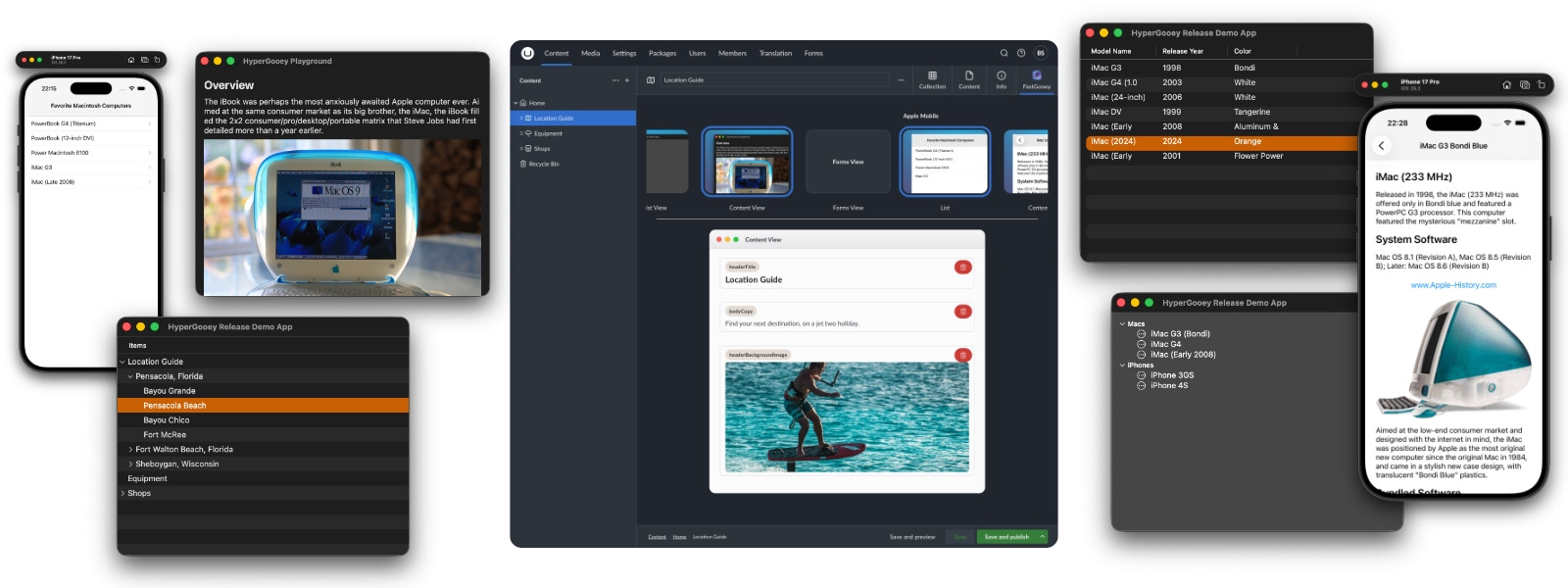
https://www.fastgooey.com/self-hosted/
I also have a turnkey offering for those who want an Umbraco Certified Master (me!) to help with implementation.